Showing posts with label gadgets. Show all posts

Tuesday, June 12, 2012

12 Things I Love About the Galaxy S3

I recently bought a Galaxy S3 after owning a Galaxy Nexus and an iPhone. After deciding between the S3 and the Lumia 900, I'm convinced that the S3 is the best phone available as of today.


HERE ARE 12 REASONS WHY:

1. Off the bat, it's the speed. The quad-core just does wonders. Think about it, this phone is more powerful that probably 70% of the world's laptops right now.

2. ICS all the way. True multitasking, resizable widgets, flexibility, control. Apple and Nokia are miles away from having all these freedoms.
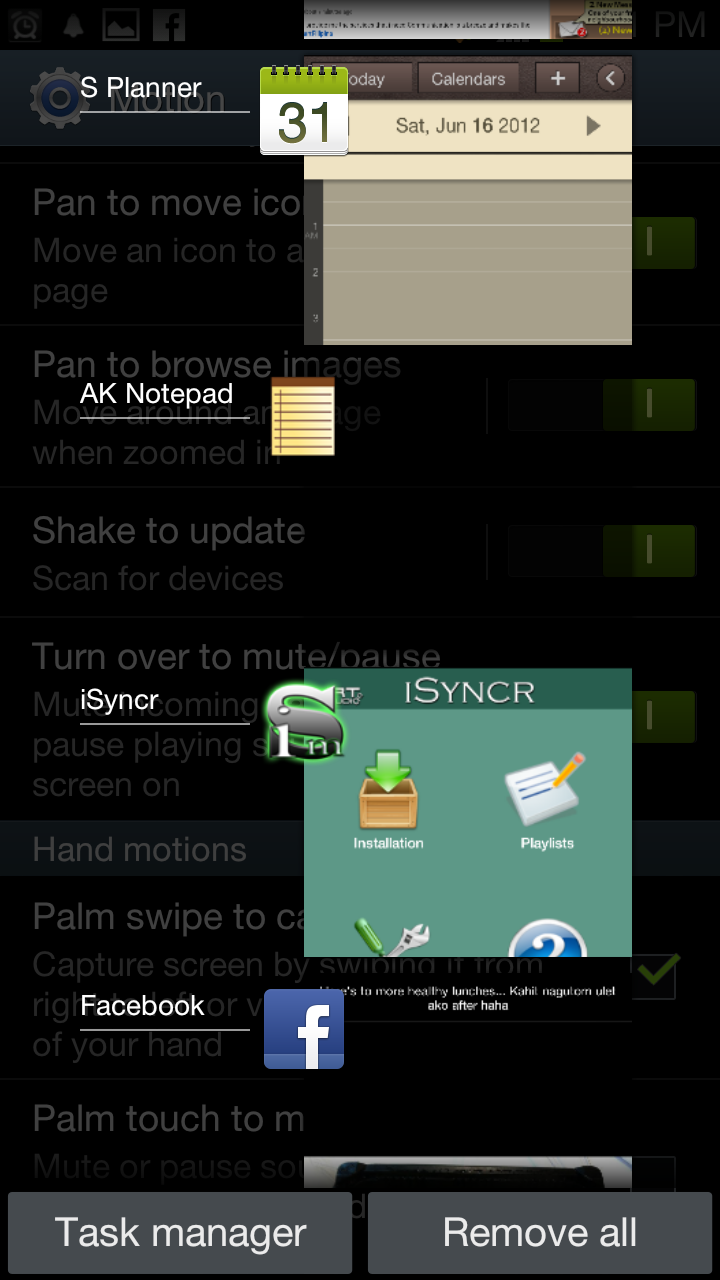


3. Surprisingly, the screen is just the right size. Perhaps it's because I got used to the Nexus and my other phone prior was an Xperia Arc. I'm sure people with Galaxy Notes will say that their screens are just the right size as well, but given all the biases, I think the screen is just right.


Tip: When you're moving from small screens to these big screens, it's important to realize that you have to change how you hold the phone. Instead of cupping the phone with your whole palm with fingers wrapping over the edge, your fingers just have to be at the back of these bigger phones.

When you realize the change, navigation becomes easy and you'll wonder why you kept up with such small phones in the past.

4. All the "natural" motion sensors. The front facing camera looks at your eyes to stop the phone from dimming the backlight. You can unlock the screen using face unlock, by using your voice, or by moving the phone around a certain way. You can launch the camera from standby by touching the screen and holding the phone as if you were going to take a picture. You're reading a text, put the phone to your ear and it starts calling that contact.

Needless to say, the gyroscope is used to full effect. I haven't seen a phone maximize movements so much. It actually makes sense to me now why Samsung used their human nature theme.


The gestures make sense! I never really fully appreciated the reviews until I got to use it for myself. Now, I'm a fan. I hope all future phones act this way.

5. Improved TouchWiz launcher. Coming from a purely native Nexus, I wasn't such a big fan of the TouchWiz when I started using it. My ex had an S3 and I wasn't really impressed with how the whole thing worked.

That is until I decided to just overhaul all the preset widgets. I removed everything, put in my folders, and all of a sudden, it just made sense.

I hate that I can't move the apps/trash button though. I would really rather have that in the middle much like the Nexus.

Plus points to the fact that when you reach the right or leftmost screen, it goes back to the first one. Also, when you're moving around icons on the launcher, you can actually tilt the phone to the left or right and the screens automatically move to the direction you want to go. Pretty neat.

6. Hold menu for Google search. I was looking for the omnipresent Google search bar at the top of the launcher, but I realized that if I just hold the menu button for more than a second the search dialogue appears. Now I have more room for my widgets!

7. S-Voice. It's a pretty noble effort and having been disappointed with Siri, I would say that it's at the minimum at par. I haven't really fully explored S-Voice yet, but just the fact that it tries to constantly learn how I talk is a big thing already for me.

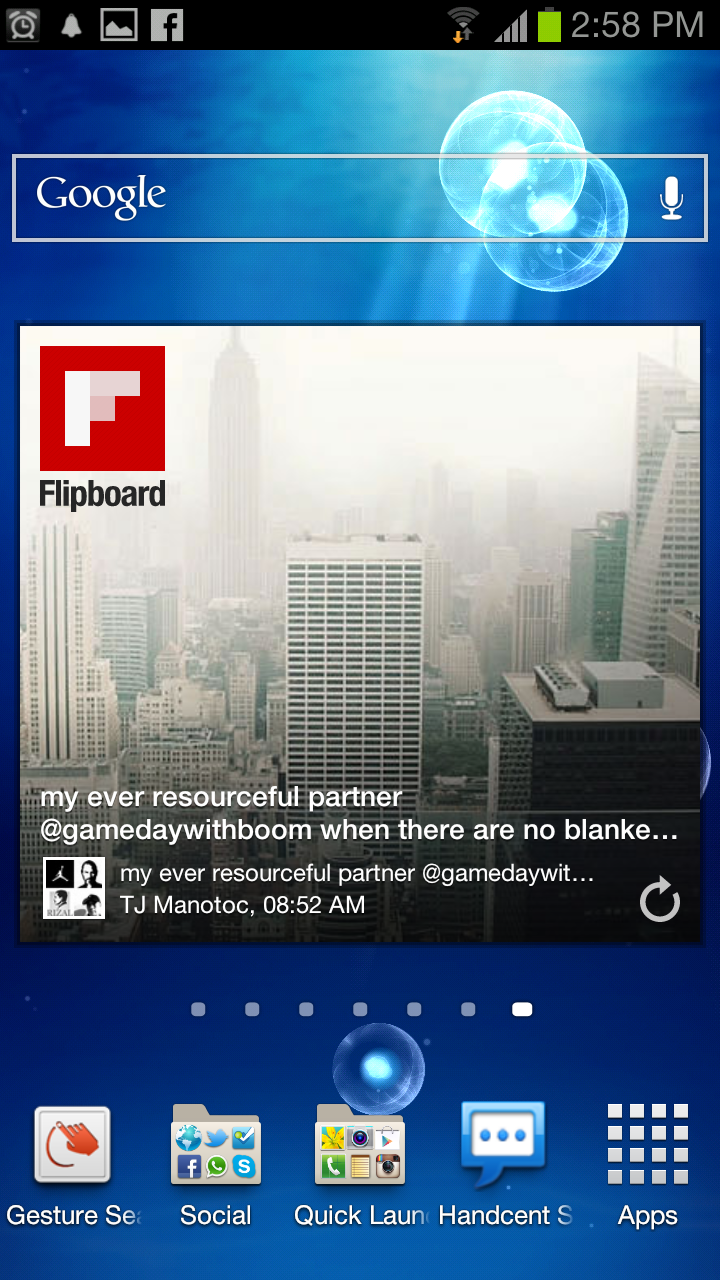
8. Flipboard and apps. Being a former iphone user, I hated the fact that there was no Flipboard for Android. Actually, the fact that there was no Flipboard, Temple Run, and Instagram. Well folks, they're all on Android already. I think those three are the last breed of relevant apps that are iOS-centric. Certainly, software developers can not deny that there are now more users of Android than iOS.

In a year or so, there will probably be more Android apps than iOS apps already.


9. Functional standby screen. So Apple wanted to sue Google for slide to unlock? Well, the S3 certainly kicks that argument in the ass by coming up with something much better than that ancient movement.

From the standby screen, you can view time, weather, news, stocks, notes so you won't even need to open your phone. PLUS, you can pick up to 4 apps that you can launch from the standby screen by simply swiping their icons on the screen. AND, if you have messages or notifications that are pending, they appear as bubbles on the standby screen so you can simply swipe them and go to those notifications immediately.


10. It comes in blue or white. The important thing here is that it isn't black. That already says a lot about how Samsung is moving forward. Apple made a killing with their white gadgets. Why would people let go of their old phones just to get a white version? Beats me, but that's what the consumer wants.

I don't understand why it took manufacturers such a long time to realize that black was just plain dull. Safe is not good enough anymore.


11. The screen is beautiful; the sound is great. This is a great improvement from the S2 and the Nexus which sounded like it had mono speakers. Well, the S3 does still have only one speaker, but sound quality and volume is so much better now.

12. Quick controls are available from the notifications bar. All of us Android folk are used to having power buttons that control wifi, brightness, bluetooth, etc on our widget walls. The S3 has put them all on the topmost part of the notifications. It makes sense, it saves on screen real estate, and it makes you wonder why no one thought of that before.


A note about iOS 6: Please also understand that I am writing this as someone who already was using ICS. If I decide to compare this with iOS 6, there would be more to write about (and that's another article). 

Most of the improvements you see in iOS 6 are actually available in Android as additional apps. That feature is still missing in the iOS world. 

To be fair, Google and Samsung have also been getting ideas from these add-on apps and integrating them into the core OS. That may be unfair to the developers, but it's a win for the consumers in the end.


I must say that I'm really just nitpicking at this point, but for the sake of objectivity, here are some points for improvement on the S3:

1. Style wise, the silver bezel makes it look a little less modern and gives an 80s design vibe to the aesthetics.

2. Being a former Galaxy Nexus user, I'm convinced there is no need for a physical button on the face of the phone. I'm pretty sure the S4 won't have any buttons anymore.

I'm sure all the iphone users with that floating white orb on their screens will agree with this point as well.

3. The LED is too big. I love its functionality, but the light blends through the plastic and it makes the phone look a little cheap. Yes, it's great design that the light seeps through the plastic, that there is no physical LED light visible when the light is off, but it could have been executed better.

4. This is really an ICS issue, but we want to see a launcher that will work in landscape mode already. Hopefully, it will be available with the release of Jelly Bean.

5. The keyboard and the messaging app suck big time. The native ICS keyboard and messaging apps were good enough, I don't know why Samsung had to make their own versions.

Fortunately, as I've mentioned, it's easy to replace those in the Google ecosystem. I recommend using SwiftKey and Handcent SMS as alternatives.


All in all, this is the best phone I've ever held in my hands. I'm happy with my buy. And even if distribution in my home market sucks (I'm talking to you Samsung) I'll gladly be an ambassador for this phone.

As of posting, this is the best phone in circulation anywhere in the world and it is HIGHLY RECOMMENDED.


Tuesday, July 06, 2010

Logitech MX Air Rechargeable Cordless Air Mouse

We all get crazy over seemingly useless gadgets once in a while--and we all should. My current guilty pleasure lies in the Logitech MX Air Rechargeable Cordless Air Mouse.

It’s a mouse. It’s wireless. But the unique thing about this fancy little rodent is that it doesn’t use a laser to track movement. Instead, motion is detected via an accelerometer and gyroscope combination.

So you can use it the way you would use a magic wand (come on, you've waved an imaginary wand at least once in the past 3 months). You don’t need a flat surface too. You can be on your back, in bed, with your eyes half closed, and still control your mouse by just waving it around in the air.

Why in the world would this be particularly useful?

Well, I came across this peripheral while I was trying to put together my home entertainment system. I needed something to control my computer which was all the way across the room. Naturally, I checked out wireless mice but the common drawback was that they all needed a flat, solid surface to work. And then came this wonderful gem from Logitech.

The mouse also features a touch scroll pad (not a clickity wheel) for scrolling through whatever you may be reading as well as dedicated buttons for back, pause/play, and volume. The volume button is pretty interesting as if you hold it and wave your mouse to the right the volume actually increases, and vice versa. I could spend all day doing that.

Battery life is supposedly very good (comes with a dock) and range reaches about 30 feet—just in case you’d ever be that far from your computer.
And did I mention that it looks real cool as well?

People, this is a must have!

But why doesn’t everyone have one? It retails for about $90 on Amazon or Php 5,750 on PCX. Ouch! But hey, you’re sure to impress whoever is lucky enough to pass by your room.

Friday, July 02, 2010

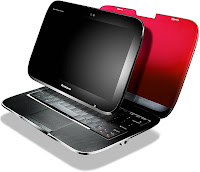
It's Alive! Lenovo U1 Hybrid Out by End of 2010

News reports from the interweb say that the U1 hybrid will be out by the end of the year.

In an interview with Lenovo President and COO, Rory Read, ChannelWeb reports that the U1 hybrid (and the Skylight smartbook) were not discontinued, only modified and delayed.

Both laptops will supposedly now run neither on the planned Skylight OS nor Windows 7. I'm expecting either Chrome or a hybrid Android OS. Tricky for the U1 is how it will behave once you detach the tablet. Because in laptop mode, Windows 7 will work, but in tablet mode, that proposed Android-based OS will probably work best. I think though, that is actually the plan.

Also, a post from Engadget reports a change with the processor, shifting to a Qualcomm dual-core.

If this will be released, it may be one of the first (if not the first) laptop or tablet to run on an Android OS. Might be a bit buggy, especially with the shifting between Windows 7.

Is it worth it to be an early adopter?

Sunday, June 27, 2010

iPhone 4 or EVO 4G: which one should you get?


How much does an EVO 4G cost? I think I want one. As per the article, same price as the iphone 4, but that's with a US plan. I've been claiming that I'm switching to Droid in about a year, why don't I just do it now?

The bigger EVO 4G has me confused. I think the iphone's current size sits pretty comfortably in my hand already. Wait. Though just testing it now I think I wouldn't really mind the extra few millimeters. The bigger screen is certainly better for videos.

Cameras I really don't care much about this feature. I'm happy with the iphone's camera thought the EVO's is apparently better.

Software I'm already on iOS4 and multitasking so far is a disappointment. Widgets seem to be interesting. But Apple sill has the edge in apps. They have more commercial apps as well. It doesn't help that EVO is a 'geek' phone YouTube on the EVO seems promising. I never really had a decent YouTube experience on my iphone. Gmail (and everything else Google), FB, and Twitter seem to work better on the EVO. I would say, considering how fast the Android app store is developing, this has to be a win for the EVO.

The poll at the end of the article has the iphone 4 and EVO 4G in a statistical tie. Interesting. Though, this is an Engadget poll. I think people who actually read Engadget aren't just marketing guinea pigs, thus the close match between the two smartphones.


Saturday, June 26, 2010

The 2010 Laptop Hunt


I'm currently in the market for a new laptop/tablet. Unfortunately though, I have no idea what to get. My sights were set on the Lenovo IdeaPAd U1 Hybrid, but unfortunately news got out last month that it was already discontinued.

It would have been perfect. It was supposed to be a tablet-detachable. In contrast to the tablet-convertible I use now, you can remove the screen off the laptop completely. It was supposed to be 2 gadgets in one.


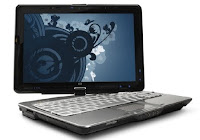
My current laptop is an HP TX2000. I got it 2 years ago cause I was dead set on getting a tablet-convertible. I knew tablets were the future. I mean hey, they use it on Start Trek all the time! Along with HP's persistent marketing (which completely had me in its sights), my biggest consideration of a tablet-convertible, the relatively few tablet-convertibles available at that time, and good reviews, it was a no-brainer to me.

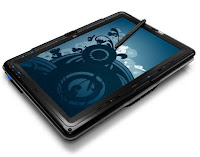
When I was making up my mind, a few months before I ordered my unit, a friend who loved his tablet-convertible (it was a Toshiba) told me that he really never uses the tablet. I didn't believe him. True enough, for the first 6 months, I used the tablet a lot. But eventually, the weight of the whole unit and the awkwardness of the input apparatus (WACOM pen) had me typing and using the touchpad instead.

In the first year, I actually still used the pen to manage the screen while in full laptop mode. I enjoyed fiddling around using keystrokes (keystrokes with a stylus is totally a foreign idea now post iphone) but what really kept me using the pen was the very accurate handwriting recognition. I mean come on, I used to sit on the john chatting with friends in full tablet mode. Needless to say, it was one of the best features.

Interestingly, handwriting recognition is something I don't think you can do with just your fingers. I also don't think Apple has any plans of developing anything related to handwriting recognition. They've been pro-touch since the ipod and its click-wheel.

Anyway, the biggest consideration, non-negotiable (the tablet-detachable) is now gone. Well, the criteria exists, but the gadget doesn't. But my laptop is still getting old, and I feel like it's time to upgrade.

So what should I get?

As in every gadget hunt, we start with the wants and must-haves.

Musts:
  • Wifi-N & Bluetooth
  • Touchscreen / Multi-touch
  • >15" display
  • Windows 7 (will eventually dual-boot with Chrome OS)
  • Has technology/design that will be "new" for the next 2 years
Wants:
  • DVD player
  • Will bend to my needs when I all of a sudden want to edit video

And well, that's basically it. Strap on a decent processor, ample memory, and the standard HDD size (it's about 300GB now I think), and that's it.

The problem, given those specs (excluding the tablet-detachable one) is that there are actually A LOT of options. Too many options, no freedom, no choice.

I was telling a friend a few weeks back that perhaps that's another area where Apple succeeds with its products. You have limited choices, which are clearly delineated. You are either comparing screen size or capacity (and of course price). That's it. Easy choice to make.

Compare that to say, HP. I have so many choices I don't even know where to start. I mean, I love that we have more choices in the PC world, but this is just ridiculous.

Although, clearly, more choices also mean cheaper units, better parts, and more servicing options. Okay, that's good. But the typical Mac user doesn't care about those things. And honestly, right now, I'm tempted to not think about it anymore. I just want to pick one. Give me 5 choices and I'll pick one. Give me a hundred, and I'll pass it off for next week.

Any ideas? Input? Will gladly appreciate it.

Let's see what develops in the next few months. I wonder what'll come up, when it'll come up, and when I'm going to pull the trigger.


*update 7/2/10* Reports suggest that the U1 is set to be released by the end of the year following changes in OS and hardware.


Friday, June 25, 2010

Google TV Compatible Devices Available This Fall


Last month, Sony finally announced the first HDTV with integrated Google TV compatibility. This is a big step forward for Google TV as Sony is a major player in the TV market.

Logitech also announced earlier this month a set top-box that will integrate Google TV to your current entertainment setup called Revue. It will supposedly work well with your Android phone or iphone. It will also connect to keyboards and mice, but controlling via smartphone is a better selling point.


I think that a set top-box defeats the point of Google TV. We've seen this kind of device before (and Logitech has produced several). For me one of the defining and differenciating elements of Google TV is its integration with existing devices. You shouldn't have to pay for an additional device to access it. When you buy a new TV, BlueRay/DVD player, or game console, it should already be Google TV enabled.

Perhaps Logitech is just cashing in while the technology is new, and hey, not everyone is going to buy a new TV, player, or console just to get Google TV.

Both the Sony HDTV and the Logitech Revue are set to be released in the third quarter.

I wonder if the new Xbox will support Google TV. Sony makes the PlayStation, which is the mortal enemy of the Xbox. Microsoft makes the Xbox and owns Bing--which is arguably the closest rival of Google Search.


With pictures from ixplora

Wednesday, June 23, 2010

5 Best Things About iOS4


Apple just released iPhone 4 and along with it (2 days before) they rolled out iOS4 as well.

When you have an iphone, you know who among your friends own iphones as well (perhaps because you all have the same message and ring tones). It's amusing how we were all giddy with anticipation. And why not, it's a free upgrade to a better OS promising long-awaited features in the wraps.

The best features of the upgrade:


1. General improvement in speed, transition + wallpaper The icons seem to pop out of the screen more. The transitions between pages (when you scroll to the left or right) is smoother. When going back to home screen the icons have a different effect, like they're popping in from the outside. They seem like small improvement, but they are what you see most of the time so it matters.

The new wallpaper option is just dandy. It also helps make those icons pop out.

(iphone pickup line: hey, that's a nice wallpaper. they really bring out the color of your apps).

2. Folders I used to have about 8 pages on my iphone. Now, I only have 5 with ample space on each page for new apps. That's almost a 50% decrease! All the games I don't play are now cluttered into a folder (2 actually), apps I use for travel are stowed away, the default iphone apps I never use are out of sight, and in general I feel more in control. My phone seems less cluttered.

3. Spell Check, Undo, and User Dictionary When you first start using an iphone/itouch keyboard you worry a bit. But as your brain learns what your (fat) fingers are pressing, you learn to appreciate the keyboard. One thing you struggle with a bit longer is auto-correct.

Somehow, the phone thinks it knows what you want to type more than you do. If you're typing a word and it has a suggestion (which it hurriedly tries to prompt) and you ignore it (or just don't see it) and continue to type, it keeps ITS suggestion.

But now, we have an undo. When the phone suggests something, and you continue to type causing it to accept its suggestion, just hit backspace and the edited word pops up. Tap it and you just undid the auto-correct. Nice.

Even better is integrated spell check. As how you would think it would work, red squiggly lines indicate an unrecognized word. Tap it and the alternate suggestions appear.

Last is the user dictionary. This can be a bit tricky to find. You have to select another keyboard aside from your probably default US-English one. After doing that, you will have another option in the keyboard settings which is User Dictionary. What's the big deal? Well, if you have words that the phone usually corrects (especially non-English words) put it in the user dictionary and the phone stops prompting to correct it.

3. Threaded Emails + Google Calendar & Notes Sync Following in the barely visible footprints of Google (read: finally), you can now see connected messages via threads. It's not as pretty as how Gmail does it, but that's expected. Google Calendar & Notes can now also be supposedly synced (even without MobileMe). Google Calendar sync works on the fly almost real-time and is great. I haven't really figured out how to sync Google Notes yet.

The Unified Inbox I suppose is also a good thing, but I don't really mix nor have multiple email addresses.

4. Cellular Data Off Switch I no longer have to edit the Cellular Data Network everytime I want to turn off mobile internet. There's now a switch in the Network settings that can turn off Cellular Data.

Curiously though, I don't know when they ended it, but Globe Telecoms no longer provides per kb data charging. I reckoned that I could save money moving back to per kb charging with such easy switching, but well, P5 for 15 minutes will do I guess.

5. Multi-tasking You'll probably first notice it when you use Safari. Web pages load in Safari even if you're in another 'tab' and even when you 'close' Safari. When you go back, the page has loaded already. Finally!

I'm not sure though how many other apps already know how to use this feature though. I know it works with Foursquare and Safari. It doesn't work with TweetDeck yet.

You'll know it's multi-tasking cause of an isosceles triangle near the time at the top of the iphone.

Also, when the app can multi-task, if you tap the home button, it will give you a list of previously opened apps so you can switch with ease. If it doesn't work, you go back to home.


Other notable new features:
  • Digital Zoom for the camera
  • Improved picture importing (uploaded pictures are clearer when zoomed in)
  • Quick Search / Spotlight Search (the search that comes up when you swipe to the left from home) now includes internet, Wikipedia, and SMS search.

Post upgrade, I've been on my iphone as much as I was on it when I first got it. It's fun trying to figure out all the new features and trying to make them work. It's a good thing that Apple gives free OS upgrades, even for their consoles. And these aren't just geeky, technical updates we're so used to in the PC world. Consumers actually look forward to something new in their upgrades.

Again, the new things aren't really new in the real world--they're available elsewhere also for free and for quite a while now--but in the ever growing closed almost autistic world Apple users live in, it's a good thing. At the end of the day we're happy that we've been given more choices on how to modify our shackles.


Should you upgrade to iphone4? From what I gather, if you've a 3GS, you're crazy to want to upgrade. But if you're using a 3G and below, go ahead, don't feel guilty thinking about it. Or better yet, get a discounted 3GS and then wait for the iphone 5. You lose out on the gyroscope and the front facing camera, but you can live without those.

3G users have lived without a compass and voice dial (two things which I use a lot) and just a year and a half after the 3GS was released, they can now upgrade to iphone 4.

If you're not an iphone user, should you get an iphone? See, I'm an Apple hater but I have an iphone. As far as I'm concerned, as of last year (when I got my phone) it was the best option. I think it still is. It has the best hardware, pretty decent software, and still the best apps store.

Given a few more years though, I'm switching to an Android phone. I reckon they would have caught up with the hardware by then. The Android app store is growing exponentially by the week and in a year or so they would have already caught up with Apple. This is not to mention that the Droid apps currently do a lot more than iphone apps do.

But I'm also pretty sure that in a few years time, when Android finally catch up with Apple, the evil geniuses at Apple would have already come up with something that makes smartphones obsolete.